
OpenAI's Official GPT 5.5 Prompt Guide: 7 Key Changes Summarized
When GPT-5.5 launched, OpenAI published an official prompting guide. If you still write step-by-step “micromanagement” prompts from older models, you may be narrowing what the model can do. This article turns the seven most important shifts into practical guidance you can apply today.
Keywords: chatgpt, gpt 5.5, gpt tutorial.
Published: May 22, 2026
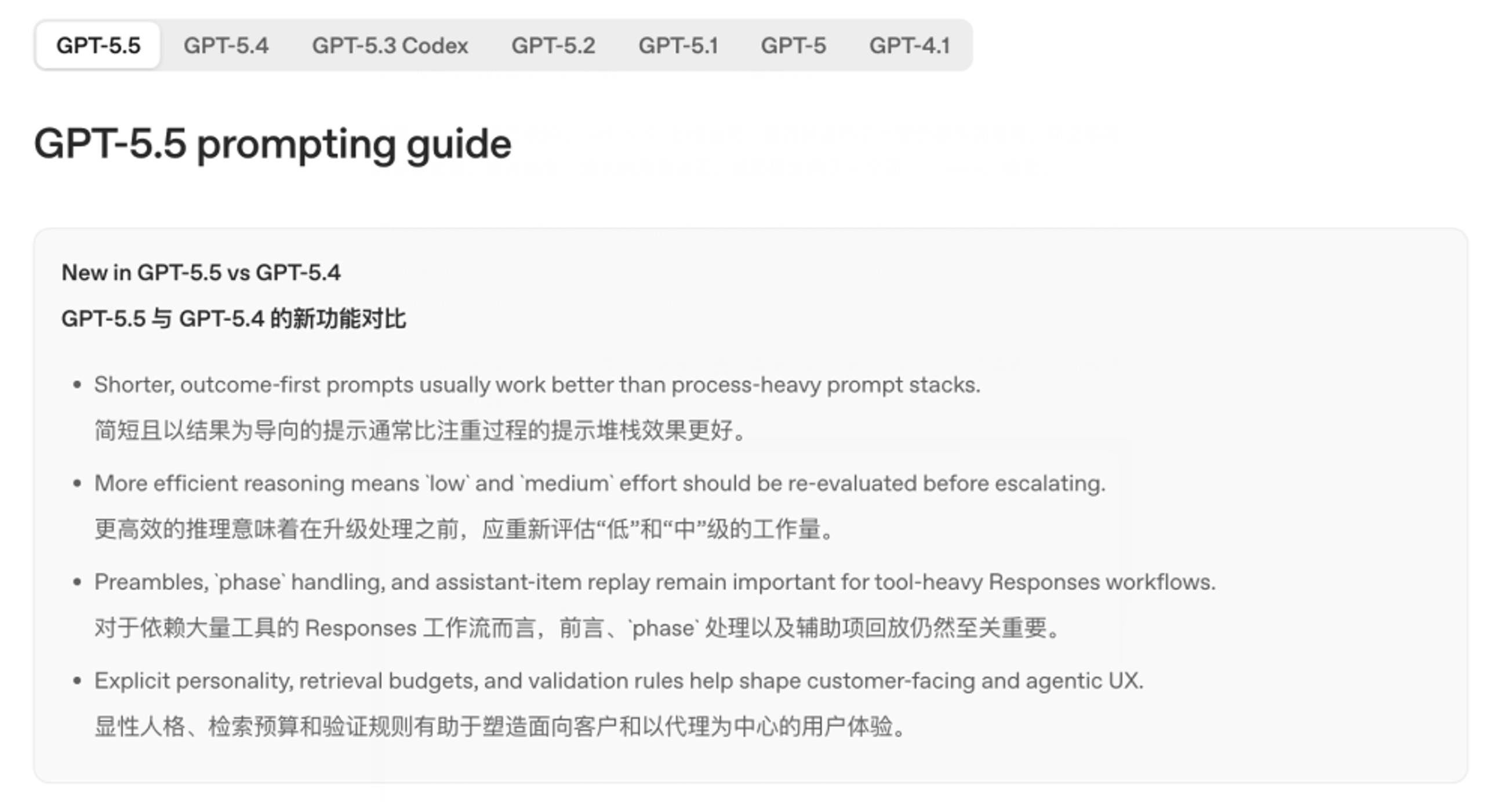
Background: why legacy prompts need a rewrite
The docs are explicit: older prompts often over-specify the process because earlier models needed more guardrails. With GPT-5.5, that detail can become noise, shrink the search space, and produce mechanical answers.
Django co-creator Simon Willison noted that OpenAI recommends rewriting from scratch rather than assuming tuned legacy prompts still work. Treat migration as a new product design—not a model-name swap.
Change 1: from hand-holding to outcome-first
Old (process-first):
Check A, then B, compare fields, reason through exceptions, pick a tool, then explain every step to the user.
New (outcome-first):
Fully resolve the user’s issue. Use policy and account data to decide what to do first, then report what was done and what remains. Ask only the single most critical question if information is missing.
Describe the destination, not every turn on the map. GPT-5.5 plans its own path; a rigid script can block better routes.
Change 2: fewer absolutes—reserve them for real red lines
Phrases like “always JSON,” “never exceed 500 words,” or “must search before answering” were common guardrails. GPT-5.5 is highly sensitive to absolutes—conflicting “must” rules can make the model try to satisfy both and fail both.
| Situation | Recommended style |
|---|---|
| Safety, required fields, hard bans | Use always/never |
| Whether to search or ask the user | Use conditional rules |
Example: replace “must search before answering” with “If existing context is sufficient, answer directly without searching.”
Change 3: roles return—but stay short
Long résumé-style personas (“20-year expert analyst…”) are low ROI on GPT-5.5. The official seven-part skeleton still starts with Role and Personality, but shorter:
- Role: 1–2 sentences on function and context.
- Personality: tone, warmth, and collaboration style—not a CV.
Two personality templates from the guide:
- Steady: reliable, calm, direct; assume good intent; advance work without unnecessary check-ins.
- Expressive: conversational, curious, witty when appropriate; ask when ambiguous, decide when context is enough.
Separate how it sounds from how it behaves (guess vs. clarify on vague asks).
Change 4: acknowledge multi-step work before executing
On complex jobs the model may reason silently; users think it froze. Add a preamble rule:
Before any tool call on multi-step tasks, send a short user-visible update confirming receipt and the first action—one or two sentences.
Products like Codex already use this pattern (“Analyzing your repo, starting with tests…”) for APIs and long ChatGPT tasks alike.
Change 5: define stop conditions
“Search, then answer” without a stop rule can loop retrieval, burn tokens, and dilute answers.
Two patterns:
- Retrieval budget: one search round by default; answer if page-one evidence is enough. Second round only if page one lacks the answer, key data is missing, or the user wants exhaustive coverage.
- Loop stop: after each tool round, ask whether existing evidence answers the core question; if yes, stop.
Change 6: the official seven-part prompt skeleton
For complex work, use this scaffold—keep each section short and behavior-changing:
| Section | Purpose |
|---|---|
| Role | 1–2 sentences: function and context |
| Personality | Tone and collaboration style |
| Goal | User-visible deliverable |
| Success | Definition of done |
| Constraints | Safety, business, evidence, side effects |
| Output | Format, length, voice |
| Stop rules | When to retry, escalate, refuse, ask, or stop |
You do not need all seven every time—simple Q&A may need only Goal + Output; multi-tool agents need the full set. OpenAI’s developer UI also offers an Optimize action to reshape prompts against this structure.
Change 7: format control and concise defaults
GPT-5.5 defaults to concise, direct answers. Use API text.verbosity (medium default; try low for shorter replies) and Structured Outputs instead of huge JSON examples in the prompt.
You can also steer layout in prose:
Default to natural paragraphs; headings, bold, and lists only when they aid comprehension.
For rewrite tasks, state what to preserve before how to edit:
Keep structure, length, and voice; improve clarity only—no new claims or paragraphs unless requested.
Without preserve rules, the model often expands and restructures by default.
Migration tip: tune reasoning effort from the low end
Beyond prompts, re-evaluate reasoning.effort. Default is medium; many jobs work at low. Higher is not automatically better—weak stop rules plus high effort can mean over-searching. A/B on a fixed eval set; step up only when quality gains justify latency and cost.
Summary in one line
Say what you want—not how to do every step.
| Dimension | GPT-5.4 and earlier | GPT-5.5 |
|---|---|---|
| Process | Detailed steps | Outcomes |
| Tone | Many absolutes | Absolutes for red lines only |
| Role | Long bios | Short role + personality |
| Multi-step | Execute immediately | Preamble first |
| Stopping | Often omitted | Should be explicit |
| Structure | Free-form | Seven-part skeleton (trim as needed) |
| Format | Defaults | API params + prompt guidance |
After rewriting, run side-by-side tests on real tasks. To try GPT in chat, use the button below on LimaxAI with your preferred model.